Why My Linux Desktop Was Lagging and How a Split /home Setup Fixed It
Background
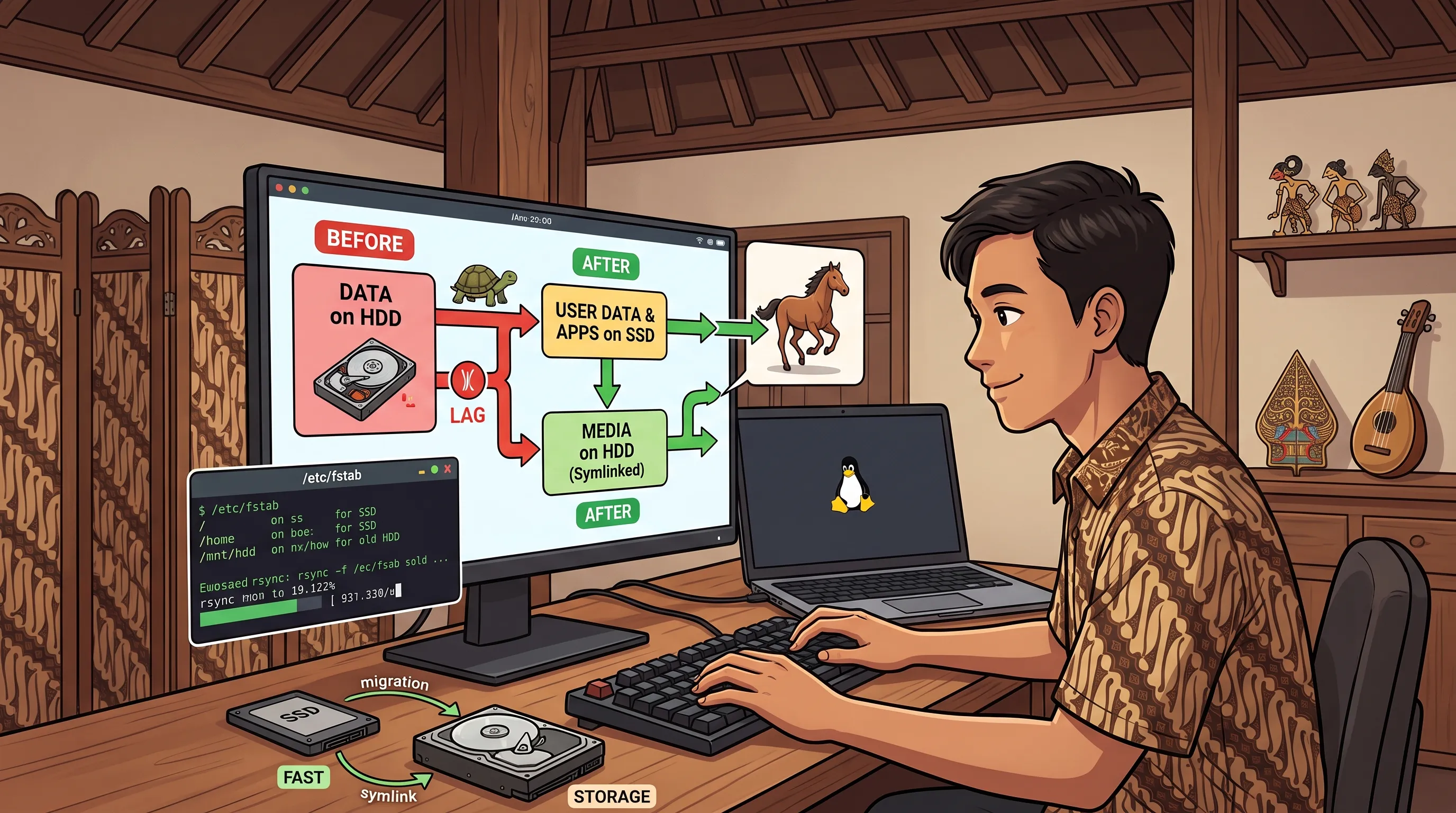
As long as I remember, I have always used a separate /home folder when installing Linux. I think I did that to follow the same patern as when I was a Windows user, where I’d put my data on D:\ and my OS on C:\, in hope that on reinstalling, I can retain my data without needing to back anything up. When the SSD era came, it was so expensive (like today) that I couldn’t afford to replace my HDD with SSD, and also I couldn’t buy a sufficient SSD for all of my data. So I still use my HDD for /home and SSD for the rest.
The problem is, when I have a laptop that runs on full SSD, I noticed that the performance of my PC is much slower. Because I have been busy, I didn’t realize the problem was a bottleneck caused by user data and apps running from my HDD.
Here’s how my storage scheme used to be:
natanhp@ngoumah ~> lsblk -f

NAME   FSTYPE FSVER LABEL      UUID        FSAVAIL FSUSE% MOUNTPOINTS

sda

└─sda2 ext4   1.0   home       <REDACTED>  167.9G    81% /home

sdb

├─sdb1 vfat   FAT32            <REDACTED>  579.3M     3% /boot/efi

├─sdb2 ext4   1.0              <REDACTED>  954.3M    45% /boot

└─sdb3 btrfs        FedoraPool <REDACTED>  274.9G    16% /

sdc    btrfs        FedoraPool <REDACTED>

zram0  swap   1     zram0      <REDACTED>                [SWAP]
The sda2 is my HDD.
Process
Identify the Folders
Before I migrate some files to SSD, I need to identify which files and folders need to stay.
I decided that these folders need to stay:
- Downloads
- Documents
- Videos
- Music
- Pictures
- Public
- Templates
- Desktop
.steam.local/share/Steam
I don’t need them in SSD because they don’t contain any important applications or frequently accessed data.
Logout and Switch to New TTY Session
I logged out of my DE session and switched to TTY terminal by pressing Ctrl + Alt + fn2 + 3 (which is just Ctrl + Alt + F3 in my keyboard). I needed to do this because I’d be unmounting the /home folder later, and I didn’t want to interfere with active DE processes, file locks, or permission boundaries. Once I logged into the terminal, I switched to the root user using sudo su.
Stop the gdm Service
I stopped the gdm service using systemctl stop gdm for the same reason as above, to prevent file locks or permission boundaries related to DE process.
Unmount, Edit fstab, and Remount
Then I edited fstab using hx /etc/fstab and changed the mount point of my HDD from /home to /mnt/hdd, so it will be auto mounted on system init while we move the /home to the SSD.
natanhp@ngoumah ~> cat /etc/fstab

#
# /etc/fstab
# Created by anaconda on Thu Jan 22 00:53:36 2026
#
# Accessible filesystems, by reference, are maintained under '/dev/disk/'.
# See man pages fstab(5), findfs(8), mount(8) and/or blkid(8) for more info.
#
# After editing this file, run 'systemctl daemon-reload' to update systemd
# units generated from this file.
#
UUID=<REDACTED> / btrfs subvolid=5 0 0
UUID=<REDACTED> /boot ext4 defaults 1 2
UUID=<REDACTED> /boot/efi vfat umask=0077,shortname=winnt 0 2
UUID=<REDACTED> /mnt/hdd ext4 defaults 1 2
After that I umounted the /home folder using umount /home, but I got an error saying ‘Target is busy’. Maybe it was because I logged in as my current user before switching to root user. So I used a lazy unmount umount -l /home to forcefully unmount it while allowing my background shell to keep its existing files alive in memory.
I finished this section by remounting all the mount points using mount -a and reloading the daemons using systemctl daemon-reload.
Create a New Home Folder and Copy the Files
I used mkdir -p /home/natanhp to create the new home folder in the SSD and then copy all the files using rsync:
rsync -aP \
  --exclude 'Downloads' \
  --exclude 'Documents' \
  --exclude 'Videos' \
  --exclude 'Music' \
  --exclude 'Pictures' \
  --exclude 'Desktop' \
  --exclude 'Public' \
  --exclude 'Templates' \
  --exclude 'Sync' \
  --exclude 'Games' \
  --exclude '.steam' \
  --exclude '.local/share/Steam' \
  /mnt/hdd/natanhp/ /home/natanhp/
Realizing Something
While watching the rsync progress, I saw some folders like Trash being copied to the SSD. This wasn’t ideal since it will use good amount of space. So I decided to remove it and some others like:
.docker.cargo/registrygo/pkg.var/app
and few others that I got from:
natanhp@ngoumah ~> du -sh ~/.cache/* ~/.local/share/* ~/.cargo ~/go ~/.var 2>/dev/null | sort -hr | head -n 15
8.0G	/home/natanhp/.cache/pip
7.8G	/home/natanhp/.local/share/umu
4.8G	/home/natanhp/.local/share/JetBrains
2.5G	/home/natanhp/.cache/aws
1.7G	/home/natanhp/.cache/whisper
1.6G	/home/natanhp/.cache/JetBrains
1.4G	/home/natanhp/.local/share/lutris
921M	/home/natanhp/.local/share/nvm
918M	/home/natanhp/.cache/tracker3
880M	/home/natanhp/.local/share/kiro
880M	/home/natanhp/.local/share/flyway
827M	/home/natanhp/.local/share/zed
669M	/home/natanhp/.cache/huggingface
542M	/home/natanhp/.cache/go-build
472M	/home/natanhp/.cache/puppeteer
Create Symlinks
For the directories that were left behind on the HDD, I used symlink to integrate them into the new /home folder, for example:
ln -s /mnt/hdd/natanhp/Downloads /home/natanhp/Downloads
ln -s /mnt/hdd/natanhp/Documents /home/natanhp/Documents
ln -s /mnt/hdd/natanhp/Videos /home/natanhp/Videos
ln -s /mnt/hdd/natanhp/Music /home/natanhp/Music
ln -s /mnt/hdd/natanhp/Pictures /home/natanhp/Pictures
ln -s /mnt/hdd/natanhp/Desktop /home/natanhp/Desktop
ln -s /mnt/hdd/natanhp/Public /home/natanhp/Public
ln -s /mnt/hdd/natanhp/Templates /home/natanhp/Templates
ln -s /mnt/hdd/natanhp/Sync /home/natanhp/Sync
With that, all of the folders can be modified from the new /home directory while still physically living on the HDD.
Note: Lesson learned, creating a symlink for the Trash folder won’t work
So I decided to unlink it and recreate it using mkdir -p ~/.local/share/Trash/{files,info,expunged} for the Trash in SSD. For the Trash in HDD, I used this:
sudo mkdir -p /mnt/hdd/.Trash-1000
sudo chown natanhp:natanhp /mnt/hdd/.Trash-1000
chmod 700 /mnt/hdd/.Trash-1000
This is because trashing is basically just a file moving mechanism, and the system avoids copying data across physical drives and then deleting the original just to trash it. Therefore, each drive must have its own trash for the sake of performance.
Taking Ownership of the New Home Folder
I made sure that the new /home folder had the right owner using chown -R natanhp:natanhp /home/natanhp so I could access it with my user account.
After that, I can enable gdm service again to login to the DE session using systemctl start gdm.
Finishing Up
Now I need to remove all the copied files from the HDD for example:
rm -rf /mnt/hdd/natanhp/.cache
rm -rf /mnt/hdd/natanhp/.config
rm -rf /mnt/hdd/natanhp/.npm
rm -rf /mnt/hdd/natanhp/.mozilla
rm -rf /mnt/hdd/natanhp/.ssh
rm -rf /mnt/hdd/natanhp/.gpg
Result
Now the system is significantly faster when logging in, opening apps, opening terminal, even for shutdown.